Skip to content
bdt78 App / Slots
LIVE LOBBY

bdt78 — Account Access, Slots and Sportsbook for Bangladesh

Your wallet, your game rooms and your support route are all reachable from one place — fund your account with bKash or Nagad and jump straight into the lobby. Access depends on your local law and eligible region.

bKash Nagad Rocket
Browse games
CONTENT / 01

Games Visitors Open First in Our Lobby

Some titles attract steady traffic because their mechanics are easy to pick up on a mobile screen. Cricket PowerPlay is one of the more frequently opened titles among sports-minded visitors — it brings a cricket-themed format into the slot category without requiring any knowledge of betting markets. Crash Dice Roller draws a different crowd: the round resolves quickly, which suits a short session between other tasks.

  • Cricket PowerPlay

  • Crash Dice Roller

  • Roulette Quickspin

  • Slot Multiplier

  • Live Cricket Odds

DISCOVER / 01

Choose your game

Full lobby
GAME NETWORK
Habanero
JDB
Bigtime Gaming
PlayStar
CQ9
CONTENT / 04

bdt78 lobby studios

The bdt78 lobby carries content from Habanero, JDB, Bigtime Gaming, PlayStar, CQ9. To check the studio, rules or features of one specific game, open that game card or the published information panel.

  • Habanero

  • JDB

  • Bigtime Gaming

  • PlayStar

  • CQ9

LOCAL PAYMENTS

Fund Your Account via bKash, Nagad or Rocket

Deposits go through the payment tab inside your signed-in account area. Select bKash, Nagad or Rocket from the method list, enter the amount that falls within the limits shown on that screen, and follow the wallet confirmation steps your mobile money app displays.

  • bKash

    Select bKash in the deposit tab, enter the amount within the displayed limits, and complete the confirmation in your bKash app. The transaction reference shown by bKash is the number to keep if you need to raise a support query. Your bdt78 account mobile number must match the bKash-registered number.

  • Nagad

    Nagad deposits follow the same field layout as bKash in the payment tab. Enter your Nagad-registered mobile number, confirm the amount, and approve inside the Nagad app. If the balance does not update after the confirmation window, contact support with your Nagad transaction ID before retrying.

  • Rocket

    Rocket is listed alongside bKash and Nagad in the payment method row. Choose Rocket, follow the on-screen amount and number fields, and confirm through your Rocket wallet. Keep the reference code from the Rocket confirmation screen in case the support team needs it to locate your transaction.

  • Bank Transfer

    Bank Transfer is available as an alternative if your mobile wallet is unavailable. The account details and reference instructions are shown inside the deposit screen when you select this method. Always use the reference code displayed — transfers sent without it may take longer to match to your account.

Banking
ACCOUNT PATH

Open Your Account in a Few Clear Steps

Starting on bdt78 follows a short, ordered sequence. First, open the account registration page and fill in the fields shown — your mobile number, a password and the details required by the form. Second, verify the mobile number using the confirmation message sent to your phone; without this step your account remains unconfirmed and some features stay locked.

  1. Register your account

    Open the registration page and complete all the required fields, including your mobile number.

  2. Verify your mobile number

    Confirm via the message sent to your phone. Unverified accounts have restricted access.

  3. Add your first deposit

    Go to the payment tab and choose bKash, Nagad or Rocket to fund your account.

  4. Enter the lobby

    Once the deposit is confirmed, the full lobby — slots, live casino and sportsbook — opens from your account home.

MEMBER DESK / 06

Offers, support and account controls

01

Game lobby

02

Payment guide

03

Support

ACCOUNT DESK

Account information

Review current account information after signing in.

Login
FEATURE BRIEF / 05

Switch Between Sportsbook and Slots Without Losing Your Place

The navigation bar at the bottom of the mobile view keeps the lobby, sportsbook, account wallet and support chat within a single tap at all times. You do not need to navigate back to the home screen to switch from a slot room to a live cricket market — the tab bar persists across all game categories.

Game feature guide
  • Football FastGoal

    Football FastGoal is available in the sportsbook section and resolves on a short match clock, making it a compact alternative to full-match betting. Open it from the sports tab in the bottom navigation bar. No separate download is needed — it runs in the same lobby session as the rest of your account.

  • Live Casino Floor

    The live casino section carries table game streams accessible from the casino tab. You can move between a live table and a slot room without logging out — the wallet balance updates in real time across both. On mobile, the live feed adjusts to portrait mode automatically when you rotate the device back upright.

ACCOUNT SUPPORT

Reach the Support Team Directly from Your Account

Support access is built into the account interface so you do not need to leave the lobby to raise an issue. The chat icon in the bottom navigation opens a direct conversation with the support team — available through the member area without requiring a separate login or an external messaging app.

  • Live Chat

    Open the chat icon from the bottom navigation inside your signed-in account. Have your transaction reference or account details ready so the team can locate your record immediately. Live chat is the fastest route for payment queries and active session issues that need a same-session resolution.

  • Account Help Section

    The help section under account settings covers the most common access, verification and payment issues with step-by-step corrective actions listed next to each one. Check here first for password resets, mobile number changes and deposit confirmation questions — many of these resolve without contacting the team.

  • Email Support

    For queries that do not need an immediate response — document submissions, account review requests or general policy questions — email support is listed in the site's contact section. Include your account mobile number and a clear description of the issue so the team can respond with the right information in one reply.

MOBILE ACCESS

Your Full Account Runs in the Mobile Browser

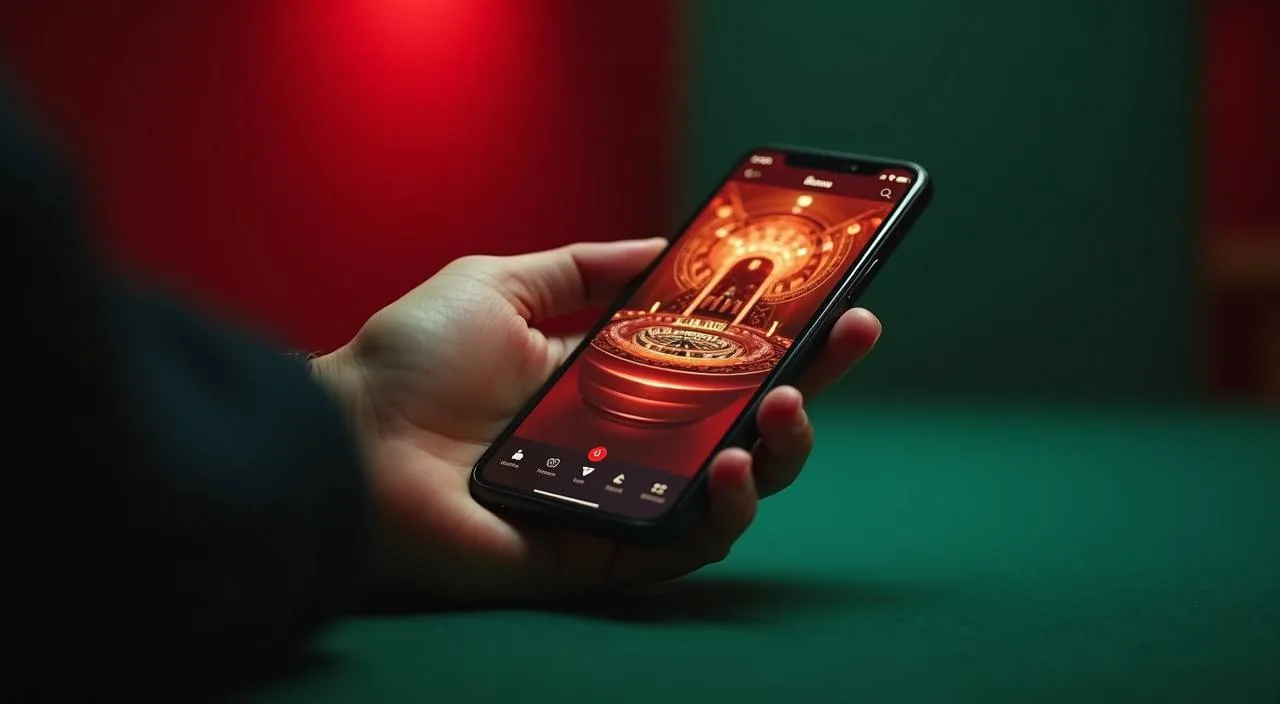
There is no separate download required to use bdt78 on your phone. The full member experience — deposits via bKash or Nagad, lobby browsing, live sportsbook, account wallet and support chat — runs in the mobile browser on both Android and iOS.

  • Android Browser

    Open bdt78 in Chrome on Android, sign in, and the mobile-optimised layout loads automatically. You can add it to your home screen for one-tap access. All account features — deposits, game rooms, wallet history and live chat — are fully accessible without any app installation from the Play Store.

  • iOS Browser

    Safari on iPhone and iPad loads the full bdt78 member interface. Use the Share menu in Safari to add the site to your home screen as a shortcut. All account functions work the same way as on Android — bKash deposits, game lobby, sportsbook and support chat are all in the browser session.

  • Low-Data Mode

    Slot rooms and table games like Roulette Quickspin load on standard mobile data without heavy buffering. If you are on a limited data plan, avoid the live video streams and stay in the slot or crash game sections — they are considerably lighter on data usage while still covering the full bet-and-result cycle.
CONTENT / 03

Your Full Account Runs in the Mobile Browser

There is no separate download required to use bdt78 on your phone. The full member experience — deposits via bKash or Nagad, lobby browsing, live sportsbook, account wallet and support chat — runs in the mobile browser on both Android and iOS.

  • Android Browser

    Open bdt78 in Chrome on Android, sign in, and the mobile-optimised layout loads automatically. You can add it to your home screen for one-tap access. All account features — deposits, game rooms, wallet history and live chat — are fully accessible without any app installation from the Play Store.

  • iOS Browser

    Safari on iPhone and iPad loads the full bdt78 member interface. Use the Share menu in Safari to add the site to your home screen as a shortcut. All account functions work the same way as on Android — bKash deposits, game lobby, sportsbook and support chat are all in the browser session.

  • Low-Data Mode

    Slot rooms and table games like Roulette Quickspin load on standard mobile data without heavy buffering. If you are on a limited data plan, avoid the live video streams and stay in the slot or crash game sections — they are considerably lighter on data usage while still covering the full bet-and-result cycle.

ACCOUNT CARE

How We Keep Your Account in Good Shape

Account care at bdt78 centres on giving you clear visibility over what is happening in your account at all times. Your transaction history, active session details and wallet balance are accessible from the account settings screen without needing to contact support. We surface payment confirmation records so you always have a reference point if a deposit or withdrawal query comes up.

  • Transaction Visibility

    Every deposit and withdrawal linked to your account is listed in the transaction history screen under account settings. Each entry shows the method used — bKash, Nagad, Rocket or Bank Transfer — along with the amount, status and the reference number generated at the time. This record is your primary resource for payment queries.

  • Account Security Controls

    The account security section lets you review recent login activity and change your password directly. If you see a login event from a device or location you do not recognise, change your password immediately from this screen and then contact support via live chat to flag the activity. Do not wait for an email response in this situation.

  • Region and Access Clarity

    Access to betting markets, casino games and account features depends on your local law and the eligible regions configured for this platform. We state this clearly in our terms. If a feature is not visible in your account, it may be restricted for your region — check the terms or ask support for a clear explanation rather than assuming a technical fault.

  • Support Without Hunting

    The support chat, help section and email contact are all reachable from a single tap inside the member interface. We have structured the account navigation so that you reach help routes without having to scroll through game lobbies or marketing pages. Your account controls and support access sit at the same level of the navigation.

PLAYER INDEX / 07

Key Account Terms Explained for bdt78 Members

Understanding the terminology shown inside your account area makes it easier to navigate deposits, withdrawals and account settings without needing to contact support for routine questions. The entries below cover the specific terms that appear most often inside the bdt78 member interface and in communications from the support team.

Player guide and glossary
  • What does 'account wallet' mean on bdt78?

    Your account wallet is the balance shown in your bdt78 account after a confirmed deposit. It is separate from your mobile money wallet — a bKash or Nagad transfer moves funds from your mobile wallet into your bdt78 account wallet, where they become available for games and betting. Withdrawals move funds in the reverse direction, back to your nominated mobile wallet.

  • What is a transaction reference and why does it matter?

    A transaction reference is the unique code generated when you complete a payment via bKash, Nagad or Rocket. It is shown in the confirmation screen of your mobile wallet app. If a deposit does not reflect in your bdt78 account balance, this reference is the key detail the support team needs to locate and verify the transaction without delay.

  • What does 'pending' mean in my transaction history?

    A pending status means the payment has been initiated but has not yet been confirmed on both the wallet provider's end and the bdt78 account system. Most transactions move from pending to confirmed within the window shown on the confirmation screen. If the status remains pending beyond that window, contact support with the reference number rather than submitting a second payment.

  • What is the sportsbook tab on bdt78?

    The sportsbook tab in the lobby navigation gives you access to live and pre-match betting markets, including cricket matches such as BPL and international fixtures. It is separate from the casino lobby but accessible from the same account session — you do not need to log out and log back in. Your account wallet balance covers both the casino and sportsbook from a single balance.

  • What does 'eligible region' mean for my account?

    Eligible region refers to the geographic and legal conditions under which bdt78 can make its services available to you. Access to specific games, betting markets and account features depends on your local law. If a section of the site is not visible or accessible in your account, it may be restricted based on your region. Check the terms page or contact support for clarification specific to your situation.

  • What is RTP and where can I find it on bdt78?

    RTP stands for Return to Player and is a percentage published by the game studio indicating the theoretical long-run return rate for that title. On bdt78, RTP figures are shown only where the studio behind the game has chosen to expose that data in the game's information screen. We do not publish platform-level RTP estimates.

Full glossary
LOBBY / 02

One mobile lobby, distinct game areas

Live Cricket Odds Sports Live Cricket Odds Access → Roulette Quickspin Live Roulette Quickspin Access → Slot Multiplier Slots Slot Multiplier Access → Football FastGoal Sports Football FastGoal Access → Crash Dice Roller Slots Crash Dice Roller Access → Cricket PowerPlay Sports Cricket PowerPlay Access →
EXPLORE FURTHER / 04

Explore detailed guides

Local lobby check

QUICK ANSWERS

Frequently asked questions

The questions below reflect what members most often ask when managing their accounts, navigating the lobby for the first time or resolving a payment issue. If your question is not covered here, the support chat inside your account is the most direct route to a specific answer.

Read FAQ →
How do I deposit using bKash on bdt78?

Sign in to your account and open the payment tab. Select bKash from the method list, enter the deposit amount within the limits shown on screen, and follow the confirmation steps displayed in your bKash app. Make sure the mobile number on your bdt78 account matches the one registered with your bKash wallet.

Can I use Nagad or Rocket instead of bKash?

Yes. Nagad and Rocket are both available in the payment tab alongside bKash. The deposit process follows the same field sequence — select the method, enter the amount, and confirm through your chosen wallet app. If you have more than one mobile wallet, use the one whose registered mobile number matches the number on your bdt78 account, as this is checked during the payment process.

What should I do if my deposit does not show in my account?

First, wait until the confirmation window shown on the payment screen has passed. If the balance still has not updated, do not submit a second payment. Instead, open the support chat from the account navigation bar and share the transaction reference number from your bKash, Nagad or Rocket confirmation screen. The team will use this reference to locate the payment and update your account balance or advise on the next step.

How do I reset my bdt78 account password?

Open the account settings screen and navigate to the security section. A password reset option is listed there — follow the steps shown, which will send a confirmation to your registered mobile number. If you cannot access your account at all, use the login page's password recovery option, which follows the same mobile verification path. For accounts that are locked rather than just password-forgotten, contact support via chat for the specific unlock process.

Is the full lobby available on my mobile phone?

Yes. The complete bdt78 lobby — slot rooms, live casino tables, the sportsbook and your account wallet — is accessible through the mobile browser on Android and iOS without any app download. Open the site in Chrome or Safari, sign in, and the interface adapts to your screen size automatically. The bottom navigation bar keeps the lobby, wallet and support chat a single tap away throughout your session.

Where do I find information or account offers?

Active information are listed in the information tab inside your signed-in account area. What appears there is specific to your account and region, so what another member sees may differ from what you see. Each information listed will show its own eligibility conditions and terms directly alongside it.

How do I access cricket betting on bdt78?

Cricket betting markets are in the sportsbook section, reachable from the sports tab in the lobby navigation. Both live and pre-match markets for international cricket and BPL fixtures are listed there when matches are scheduled. Your account wallet covers both casino and sportsbook from a single balance — no separate funding step is needed to place a bet after your deposit is confirmed. Market availability depends on the match schedule and your eligible region.

How do I contact bdt78 support if I have an account problem?

The fastest route is the live chat icon in the bottom navigation bar of your signed-in account. Have your account mobile number and, if the query is payment-related, the relevant transaction reference ready before you open the chat. For non-urgent matters, email support is listed in the contact section of the site.

READY WHEN YOU ARE

bdt78 game lobby

Access may be available only where local law permits.

Register Login